CraxsRat V8.0
In 2026, CraxsRat V8.0 remains one of the most discussed Android Remote Access Trojans (RATs) in cybersecurity circles. This powerful tool continues to evolve, offering advanced remote control, monitoring, and deployment capabilities. This comprehensive, SEO-optimized guide covers everything about CraxsRat V8.0, including a detailed breakdown of its interface and features based on the latest screenshots of the release.
Important Note: This article is for educational and cybersecurity research purposes only. Using RATs without explicit authorization is illegal in most jurisdictions.
What is CraxsRat V8.0?
CraxsRat V8.0 is the latest iteration of a sophisticated Android Remote Access Trojan developed primarily for remote device management and monitoring. Released in late 2025/early 2026, version 8.0 introduces improved stability, enhanced stealth capabilities, and a refined user interface compared to previous versions.
The tool is known for its modular design, allowing operators to build custom APK payloads, manage multiple infected devices, and remotely extract sensitive data.
Key Features of CraxsRat V8.0
CraxsRat V8.0 offers an extensive set of features that make it a preferred choice in its category: CraxsRat V8.0 Cracked 2025 - Botnet Trojan Stealing Tool
Complete remote control of Android devices; Real-time screen viewing and control; Camera and microphone access; Keylogging and clipboard monitoring; Extraction of SMS, calls, and contacts; File manager with upload/download capabilities; Application management (install/uninstall); Location tracking; Persistence mechanisms; Encrypted communication channels
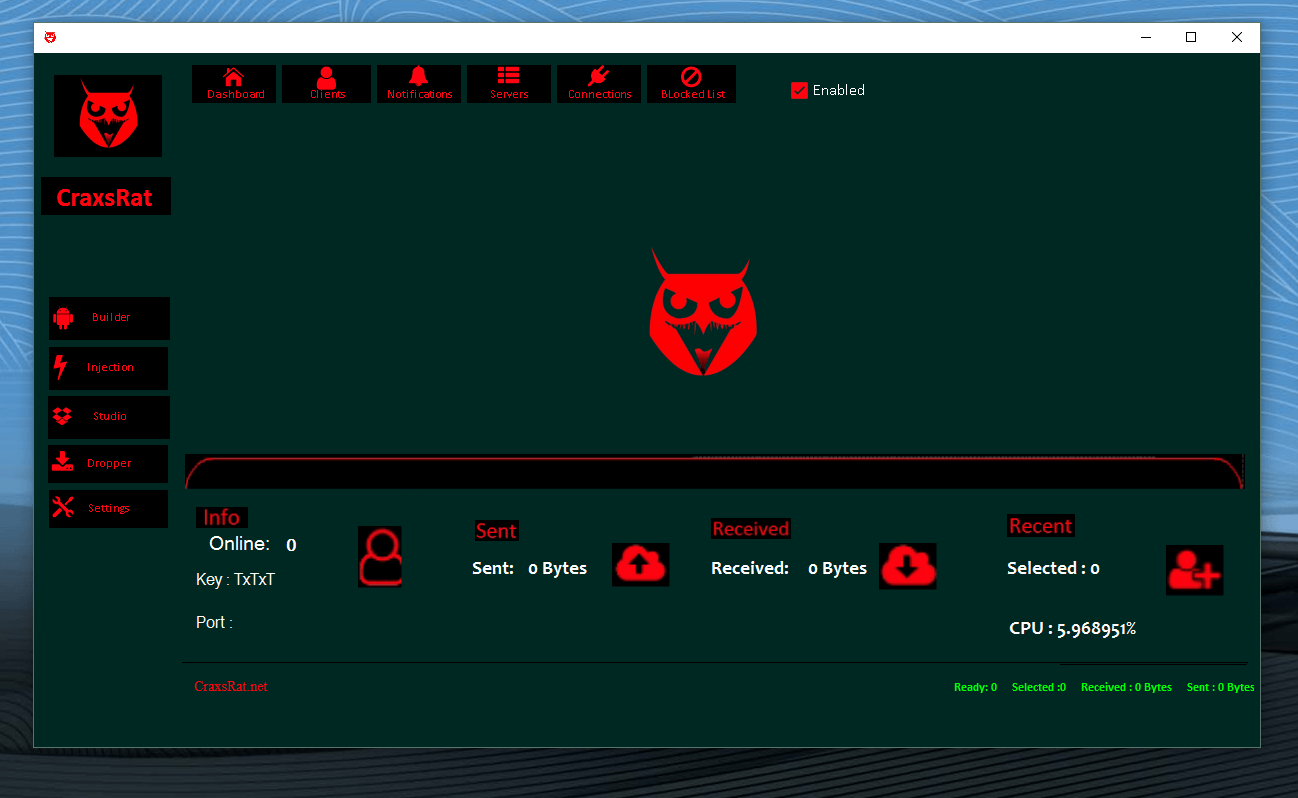
Detailed Breakdown of the CraxsRat V8.0 Interface Main Dashboard: The dashboard serves as a central hub with a dark green theme and red accents for high visibility.
Key elements: Top navigation: Dashboard, Clients, Notifications, Servers, Connections, Blocked list Left sidebar: Builder, Injection, Studio, Taster, Settings Information panel displaying: Online clients: 0 Key: TxTxT Port status Bottom status bar: Ready/Selected/Received/Sent bytes CPU usage percentage
Settings panel The Settings section offers numerous customization options.
General Settings: Check for Update on Start (On/Off) Hide Connections Window (On/Off) Save All Connections (On/Off) Language Selection (French-English by default)
Alert Configuration: Client Disconnection Notification (On/Off) New Connected Client Notification (On/Off) Play Sound for Events (On/Off) Sound Selection Dropdown
File Manager Options: Small FileManager Icons (On/Off)
Buttons: Exit Reset Save Settings
Managers Menu
The full dropdown menu provides access to all monitoring and control functions:
Primary Categories: Files – Full access to the file system SMS – Read and manage messages Calls – View call logs and recordings Contacts – Export contact list Accounts – Access saved accounts Applications – Install/uninstall applications Permissions – Manage application permissions remotely
Advanced Features: Monitors – Various monitoring tools Admin – Administrative Controls Tools – Additional Utilities Extra – Miscellaneous Functions Login – Manage active connections Keyboard (beta) – Congestion features Client Folder – Organized client data storage Craxs usdt – Specific module (possibly crypto-related)
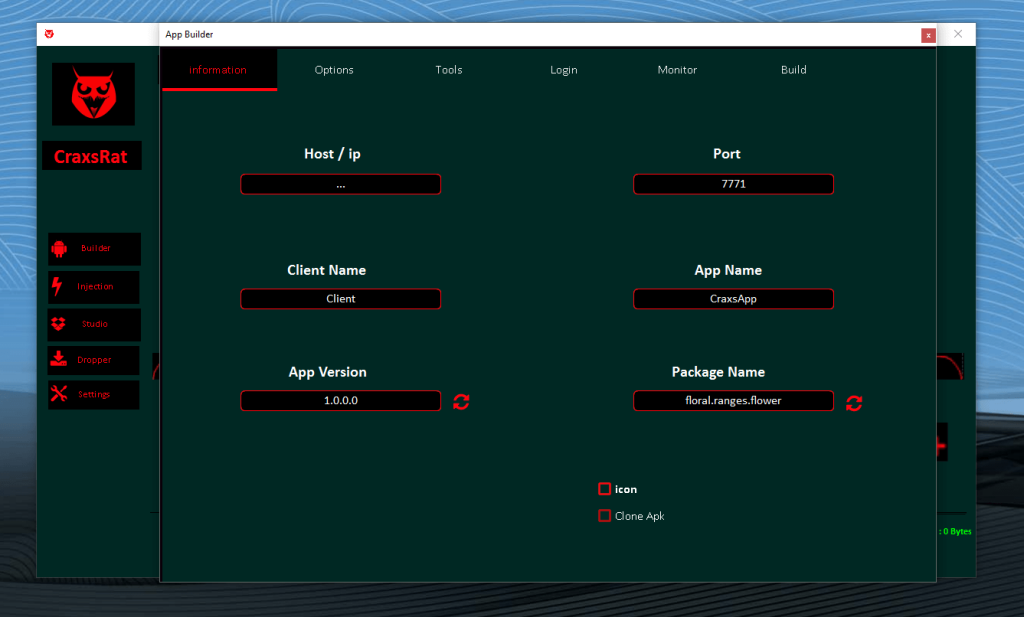
Application Builder Interface The Builder is one of the most powerful components for creating custom payloads.
Information Tab Fields: Host/IP – Server Address Port – Default 7771 Client Name – Internal Identifier (e.g., "Client") Application Name – Display Name (e.g., "CraxsApp") Application Version – Version Number (e.g., 1.0.0.0) Package Name – Unique Identifier (e.g., floral.ranges.flower)
Options: Icon Selection/Upload Features APK Clone
Tabs: Information (Active) Options Tools Login Monitor Build
APK Studio The Studio module specializes in modifying and analyzing APKs.
Main Functions: Select APK – Choose the target application Work DIR – Set the working directory Save Icon – Preserve custom icons Decompile – Reverse engineer APK Compile – Rebuild the modified APK Sign APK
Download 1 Download 2 Download 3